


Mobile and Tablet Devices Review

Cyber Living posts the specifications or details of the latest mobile phones and tablets with some thought comments on the device You can find them by clicking the MOBILE?TSBLET DEV on the menu bar above. Or you can click this link Mobile and Tablet Devices

Computer Problems Solutions

For personal computer/notebook problems and tips, refer to PC PROB from the menu or click this link Personal Computer Problem Solutions.

What's in the world with Philippine ISPs

Discussions about Philippine Internet Service Providers (ISPs) particularly problems users are encountering but are not getting any solutions.

  • Tips or work around to these problems to improve browsing experience.
  • Do you have any problems too? Give your comments below each of the posts to be heard.
  • Or better yet, send me a message on our contact form if you want a dedicated article to your problem on this site.
  • Bloggers and Webmasters tips/tricks

    Looking for something to implement to your site? Our Bloggers' tips/tricks have what you need. If you do not find it there, notify us through our contact form.

    SEO Tips

    Tips to improve your rankings on Search Engine Resuts Pages (SERPs).

    Showing posts with label Smart. Show all posts
    Showing posts with label Smart. Show all posts

    Saturday, August 10, 2013

    Is PLDT's (Mybro/SmartBro) Fair Usage Policy (FUP) fair?

    If you are currently a MyBro (formerly SmartBro) subscriber, then you already know and experienced what I am about to tell you. But still indulge me so that you may get additional insight about the matter and please do share this article to others so that they get informed. By spreading the word, we might make PLDT/Smart to rethink about its Fair Usage Policy.

    If you are not yet a MyBro (SmartBro) subscriber, you are in luck. Please read carefully and when you fully understand what has been written here you still wish to subscribe, then all the best to your browsing in the coming months.

    From the TV ads, Smart has been using the term unlimited to their MyBro plan 999. No matter how you try to interpret this, it will always mean that you get unlimited internet access with up to 2Mbps. Please note of the phrase up to that just because the 2Mbps is there, mean that you will get 2Mbps internet speed. I will let other users to comment on it but just to give you a hint, a 1Mbps speed would already be very good.

    myBro (SmartBro) Plan list
    List of MyBro plans including their monthly data usage limit. Plan 999 and 1299 states unlimited.
    But wait, let us go back to their much trumped umlimited data usage. myBro has this thing called Fair Usage Policy (FUP). What is this and why would you care? Well, because this means each month you are actually limited to only so much download and upload (combined) data per month. How much? Many says it is about 15GB a month but PLDT has a very vague description of it. Below is an excerpt of it:

    "Conditions Covering Fair Usage Policy. Certain peer-to-peer and machine-to machine software/applications are used by customers to send and receive files containing very large amounts of data. These activities may cause network congestion and can negatively impact the quality of service that other subscribers will experience. myBro fulfils a service level that is based on equitable share of network resources among all of its customers. Thus, the service level and/or connectivity to users of peer-to-peer and machine-to-machine software/applications is modulated to ensure that all customers get the best fixed wireless Internet experience.
    Upon reaching the optimum volume allocation for a single user, the subscriber will still be able to enjoy unlimited access to the Internet, but at a lower speed. This was implemented to manage overall internet usage and to ensure that all myBro subscribers can enjoy satisfactory internet service."
    Well, to be fair, it stated that you will not get disconnected but your speed will be reduced then by the next month, all will be back to normal. But many will attest that by reduced, it means it will go down to a crawl that a dial-up would even be better. So much for unlimited huh?

    The reason for such a policy they say was for them to ensure the integrity of the network so they can continue to provide a fast and reliable connectivity and that all subscribers will have fair access to network resource. How noble, but say what?!

    First off, why use the term unlimited to a service that is actually limited? At least they should have the decency to say that all users are subject to myBro's fair usage policy. Why are users being penalized for their usage patterns for an unlimited service that has been promised them? Why does Smart not upgrade so they can provide better service instead of penalizing them for downloading so much for using their (I will say it again) unlimited network service? If upgrade is not an option, then don't accept anymore subscriber. Shouldn't this be more fair?

    Secondly, people use the internet a lot these days. They use facebook, skype (or any other VOIP services), e-mails, youtube, online games, system/software updates, file downloads (like e-books), the cloud (iphone music for example) and yes peer-to-peer sharing. Accept that all these are just normal for a user to be doing over the internet aside from the usual Google search for a how to, what is or for the latest news/gossip. Ask anybody if it is normal to be using peer-to-peer software and you will get a resounding YES. What then, will Smart want to change this behaviour? Like I said, stop using the word unlimited that way no one will get deceived and state flat out how much data they are allowed to use each month.

    As if that is not enough, they added:
    "myBro reserves the right to suspend or terminate service to customers whose practices or use of the internet far exceeds that of a personal consumer and, as a result, impairs the quality of service that other customers experience. myBro also reserves the right to modify the Fair Usage Policy without immediate notice in order to maintain the integrity of its network services."
    If I am to understand it, it is all up to them to do no matter what they please so that they could provide a fast and reliable service. Ah! All in the name of good service. Is that what you can call fair? Fair to whom?

    How about existing subscribers prior to the implementation of the Fair Usage Policy? They were promised unlimited network access, no conditions. Unlimited, period. Why apply to them? I almost forgot, they reserve the right to modify their policy, right! Well, could Smart at least give them the right to opt out from the subscription even within the lock-in period? The answer is a resounding NO.

    OK I am done babbling about this policy. But just to give some insight as to  how far a 15GB will last for an average user (note, not a power surfer) here is a summary of usage with corresponding data. Please note this are only estimates and in no way is it measured scientifically.

    Youtube (1min of video = 2MB; average youtube video per month = 1350 minutes that is 45 minute video per day) = 2.7GB <- note that you can download video faster than you can play them and most times you don't watch the entire length of the video especially if that video is not what you are looking for but you have already downloaded the complete video.

    Facebook (50 pictures upload/month at 6MB/picture; 15MBper page @ 150page/month; 3MB per photo view@ 400 photo/month = 300MB + 2.25GB+1.2MB or roughly 3.75GB/month.

    Skype (2.2Gb/hr; 20 hours/month) = 5.5GB/month <- me and my wife use more (way more, like 4 times more, than this every month).

    Online Games (approximately 50MB per hour at 50hours/month; hahaha a little more than an hour a day of gameplay but indulge me) = 2.5GB/month

    System/Software updates = roughly 1GB/month

    This alone will already give you 15.4GB of downloaded data and that is a very conservative estimate. How about the bits of cookies and such that are also downloaded not to mention that each page you visit, you are also uploading some data. I also have not included a user's numerous Google search as well as page visits to different sites. Note that this is only for a single computer. What if you have more than one connected via a router? And let us not forget peer-to-peer download which could easily use 10GB in a month.

    Lastly, to be fair, it is also worth noting that myBro is not alone in implementing a data limit. Globe as well as others have also their own data limit.

    My advise learn your surfing habit and if you think you are within this limit then you can try subscribing otherwise look for an alternative. A local ISP perhaps that has no data limit or at least higher limit? But if you don't have a choice and you are a heavy user, then I feel for you. You may try prepaid plug-it and subscribe an UNLISURF 200 good for 5 days. I have inquired through their service representative and to this day,  this is still not covered by the FUP but most of the time it is also very slow (at least in my case). Just don't buy the dongle with a very limited settings selection in its UI like MF180 and MF190 by ZTE. It automatically connect once it is plugged and there is no way you can disable its autoconnect. I have that experience with the MF180, trust me it is a pain to use. Loosing my load before I could register it to UNLISURF.

    Let me ask again, is the Fair Usage Policy fair?

    Back to CyberLiving home page

    Other Posts
    Back to home page

    Friday, July 19, 2013

    Smart Bro internet speed is very slow. How to make it faster?

    Improve your internet connection speed with Google Public DNS or OpenDNS

    If you feel that your Smart Bro internet connection is very slow and you would like to improve it, here is how.

    Change the DNS settings from Smart Bro, or whichever your ISP is, into Google's Public DNS or OpenDNS.

    For Google: Primary/Main DNS: 8.8.8.8 and Secondary/Alternate DNS: 8.8.4.4 the two can be interchanged.

    For OpenDNS: Primary/Main DNS:208.67.222.222 and Secondary/Alternate DNS: 208.67.220.220

    To configure your DNS refer to the post How to change your Smart Bro DNS server to Google Public DNS or OpenDNS

    A layman's explanation as to why changing the DNS address can improve browsing speed
    Every domain on the internet has a name or an IP address much like your computer has an IP address. This IP address are in numbers with dots much like 173.194.126.52 (one of Google's many IP addresses). But humans do not remember numbers very well but are good at remembering words which is also why you have contacts in your cellphone to store phone numbers because it is easier to remember names.

    Back on topic, in order to remedy this problem, proponents of the world wide web decided on a host name to represent an IP address. So for IP address 173.194.126.52 its host name is Google.com.

    A DNS (Domain Name Server) has the function of translating a host name into a machine readable IP address. Thing is, there are millions (if not billions) of host names currently registered today. Add to it, there could be more than one IP address linked to a host name. It is therefore impossible for a single DNS server to store all this data and so they ask the help of other DNS servers for host names not currently on their list adding to the time to resolve a host name which in turn causes a user (that is you and me) to have to wait longer before our browser could completely display the page we requested.

    But, DNS servers differ on their capacity to store host names. Like in the case of our Smart Bro and Google or OpenDNS. Smart Bro's DNS server has a limited data compared to Google/OpenDNS's much much larger database.

    So in the case of Google or OpenDNS the time to resolve a host name is much faster as they don't have to look somewhere else to resolve a host name unlike Smart Bro.

    Back to CyberLiving home page

    Other Posts
    How to change your Smart Bro DNS server to Google Public DNS or OpenDNS

    Wednesday, July 17, 2013

    How to change your Smart Bro DNS server to Google Public DNS or OpenDNS

    Smart Telecom's MF180 USB modem is bundled with an interface which has a limited options on it Settings page. Not even a away to edit its network configuration settings through the User Interface (UI).

    So how to change the DNS setting?
    By editing the NetConfig file.

    In windows explorer, go to C:/Program Files/SMART BRO. In the SMART BRO folder look for the NetConfig file. This is what you must edit.

    note: Before you do anything with the file, you must create a back-up just in case you mess up while editing, you have a back-up file to copy from. Just create a folder and name it Back-up, copy NetConfig file and paste it in the Back-up folder.

    Right click NetConfig then Open With ... choose Notepad. In Notepad, you will see the following:


    Original SMART BRO Configuration
    Change it to
    [SmartBro]
    Name=SmartBro
    UserName=none
    UserPass=none
    DialNum=*99#
    IsAutoGetAPN=0
    APN=SMARTBRO
    IsAutoGetDNS=1
    MainDNSaddr=0.0.0.0
    AltDNSAddr=0.0.0.0
    IsAutoGetPDP=1
    pdpAddr=0.0.0.0
    pdpType=IP
    AuthType=PAP
    IsDfault=1
    DeniEditDelete=1
    askUserAndPass=0
    SaveuserAndPass=0
    IsFactoryDefault=1
    IsMmsConfig=0
    [SmartBro]
    Name=SmartBro
    UserName=none
    UserPass=none
    DialNum=*99#
    IsAutoGetAPN=0
    APN=SMARTBRO
    IsAutoGetDNS=0
    MainDNSaddr=8.8.8.8
    AltDNSAddr=8.8.4.4
    IsAutoGetPDP=0
    pdpAddr=0.0.0.0
    pdpType=IP
    AuthType=PAP
    IsDfault=1
    DeniEditDelete=1
    askUserAndPass=0
    SaveuserAndPass=0
    IsFactoryDefault=1
    IsMmsConfig=0

    In the original configuration, IsAutoGerDNS is 1 while I changed it to zero (0) to mean false. This change cause the UI not to automatically get the DNS instead configure it to use the set MainDNSaddr and AltDNSAddr which is 8.8.8.8 and 8.8.4.4 respectively (Google's public DNS- can be interchanged). Without setting IsAutoGetDNS to 0, the UI will automatically get the ISP assigned DNS for you even if you set the MainDNSAddr and AltDNSAddr to your desired DNS.

    Save the file and relaunch your Smart Bro UI to connect to the internet.

    For OpenDNS, use the following: MainDNSAddr=208.67.222.222; AltDNSAddr=208.67.220.220

    Other public DNS are:
    Comodo Secure DNS: Main=8.26.56.26; Alt=8.20.247.20
    Norton ConnectSafe: Main=198.153.192.40, Alt=198.153.194.40
    DNSResolvers.com: Main=205.210.42.205, Alt=64.68.200.200

    Back to CyberLiving home page

    Other Posts
    Smart Bro internet speed is very slow. How to make it faster?
    Meta tag generator

    Wednesday, April 24, 2013

    Smart 4G network opens its doors to pre-paid subscribers

    For those who prefer pre-paid over post-paid now you can enjoy a faster internet speed that only post-paid subscribers were able to enjoy.

    Smart LTE (Long Term Evolution) is now on pre-paid. This was announced by Smart Telecommunications last April 19, 2013.

    According to Smart Broadband and Data Internet Service Head Lloyd Manaloto, “If you have always wanted to try out the fastest wireless broadband technology in the world but are not keen on subscribing to a postpaid service, Smart prepaid LTE is just the ticket.”

    LTE uses Fiber Optic Cables that sends data at the speed of light, unlike the traditional Legacy copper cables that sends signal using electrical pulses that is a lot slower.

    There are two ways you can avail of it. Buying the SIM only kit that costs P350 with free 7 days unlimited surfing or buy the Smart LTE Plug It (SIM and USB modem) which is quite pricy at P5,995 with 7 days free surfing. Since the former is only a SIM, you should have an LTE enabled device or USB modem while the latter can be used practically on any device like laptops, PC or remove the SIM and use it on an LTE capable device.

    The rate is also more expensive with LTE 50 (send to 2200) at P50 valid for 1 day surfing (this is similar to UNLISURF 50). LTE 299 at P299 valid for 7 days and LTE 995 valid for 30 days.

    Back to CyberLiving home page

    Other Posts
    HDD S.M.A.R.T. capability disabled
    Make use of your ISO files without any CD/DVD/Blue Ray discs

    Tuesday, April 16, 2013

    SMART Telecommunications rip off practice

    Funny how Smart Telecommunications is too quick to charge you with services not even rendered but to slow to act on a refund.

    Have you had the MF180 USB modem that is bundled with with a user interface that is very restrictive of what a user can do? Not even to manually connect to the internet? Yes, Smart sells you a USM modem that is bundled with an interface that automatically connects to the internet.

    This is what happened with me today. I accidentally plugged this modem while still loading it with P200. I am supposed to register it to UNLISURF 200 for 5 days unlimited internet connection. But alas, because of what happened it automatically connected fortunately I was able to see it while it is still connecting so I immediately clicked on cancel.

    I thought by clicking on cancel before it could stablish an internet connection, my prepaid load balance is safe. But that is not the case because as I was registering it to UNLISURF 200 an error message told me that I have an insufficient balance. Making a balanced inquiry did show P195.00. I had 5 pesos prior to loading it with P200.00.

    I immediately contacted customer support by dialing *8888. I told the lady my story and she told me to wait while she will try to confirm and told me that I had connected around 11:30 am (of 4/17/2013) that is why they have deducted me with P10.00.

    It is very interesting that when I had 5 pesos remaining in this prepaid account the user interface  connects but there is no internet connection what so ever but here it was connecting prior to being loaded and they already deducted the ten pesos!

    I asked them if they could refund the 10 pesos since I was not able to use it and they told me it will be but I need to wait 24 to 48 hours! Isn't it amazing that in just seconds my P10 is gone just like that even if I haven't established an internet connection and here they are trying to tell me that it takes a day or two just to reverse everything.

     I would not be this upset if the store is just around the corner. But the nearest store to by the card is 5 kilometers away.

    Anyway, which ever way I ask, the same answer is given to me and that is wait 24-48 hours while trying to explain to me that I should configure my UI so it will not automatically connect. I, of course told her everytime that it can not be done on this interface. I guess Smart's customer service does not know about the UI bundled to MF180?

    So here I am stuck with a P195.00 in my load and forced to use UNLISURF 85. Make no mistake though, I am going to follow-up on that P10.00 refund.

    My Suggestion to SMART Telecommunications:
    1. There is an update on the UI, why not roll out an update that will give a user the option to manually or automatically connect to the internet upon plugging in the dongle.
    2. Shorten the period to  verify claims like this. How difficult is it to check the log. I am sure you can develop a querry to speed up the process. And just a suggestion, why not empower your customer service people to do this that way a refund can be done in that instant. Take Taiwan for instance, my ISP back there does things while we are talking on the phone and no need to wait for 24 much so 48 hours.

    Back to CyberLiving home page

    Other Posts
    Share your laptop's internet connection
    Improve the appearance of your Facebook status link

    Friday, April 5, 2013

    Unlimited Surfing, What is the catch?

    The current trend in the Philippines to date when it comes to internet connection is UNLI, short for unlimited, meaning subscribing to this promo entitles you to unlimited surfing until your time runs out for the promo. This was born out of their unlimited texts and voice promos. Owing it to the unlimited voice and text success we now get UNLI Facebook, UNLI mobile surfing and UNLISURF for Smart and SUPERSURF for Globe.

    What I would like to talk about with you my dear readers is whether they are really unlimited.

    Here is what I have found out. Globe's SUPERSURF which is supposed to be unlimited ain't really. Try SUPERSURF 50, for a 1 day "unlimited surfing" then watch lots of videos on youtube and download large files. Before you know it, you are already being disconnected even before your time has lapsed. Why? Because SUPERSURF has a data limit. This was confirmed to me by a service rep through their hotline and this is actually on their site as well. What bothers me was their ad on TV says unlimited surfing and there is no mention of the data limit. It was explained to me that technically, the data limit ensures already of unlimited surfing in that if only sites with no video streaming is involved. I was further advised that if I so choose to watch youtube videos I should avail of the more expensive package or use regular load. Duh! Isn't Youtube part of the world wide web? Clearly, they should remove unlimited in their promos and put in place enjoy up to 800Mb or so of data as the unlimited thing is misleading.

    For Smart's SUPERSURF, it really is unlimited. No data limit restrictions. I found though that Globe was faster than in Smart through my experience. But Smart also employs similar tactics as Globe with their other unlimited promos. I was once bombarded with promotional text messages from Smart regarding unlimited mobile browsing. If memory serves me right the command was ON 20. The text also says unlimited surfing but at least they included somewhere in the text the data limit (I think).

    So next time you avail of a promo, look for what they are not saying. Because if you have a nagging feeling that something is not right, it may well be true.

    Back to home page

    Other Posts
    How to share your desktop internet connection?
    Site map for Blogger and how important is it?

    Wednesday, December 5, 2012

    How to register your SmartBro to UNLISURF before it automatically connect to the internet.

    Use your phone to register for a promo.

    I have found it annoying that Smart's Broadband plug-it using ZTE's MF180 USB modem automatically connecting even before you could register your precious load to their UNLISURF promo.

    I mean, what is with this interface anyway with so limited options you can set. Not even to turn off auto connect when the modem is inserted to the USB port. And if you are like me who could not follow the way to change the interface, then your fifteen pesos is automatically charged and you can only use it for a few minutes (30 minutes?).

    So here is what I do. Upon reloading my account, or if I still have enough load and I know my promo registration has expired then I do these few steps first.

    I take off the SIM from the modem and put it on my cellphone (any kind will do). I then use the phone to register for another promo like UNLISURF 200 send it to 2200. I then wait for the confirmation that I am registered before taking it the SIM out of my phone and replacing it on the modem. After which, it is safe to insert your modem into the USB port without worrying of unnecessarily getting charged when you intended to use that money for a promo.

    Back to home page

    Other Posts
    Smart Bro always disconnecting
    Getting more likes out on your facebook posts

    Tuesday, November 27, 2012

    SmartBro promos also available on your mobile

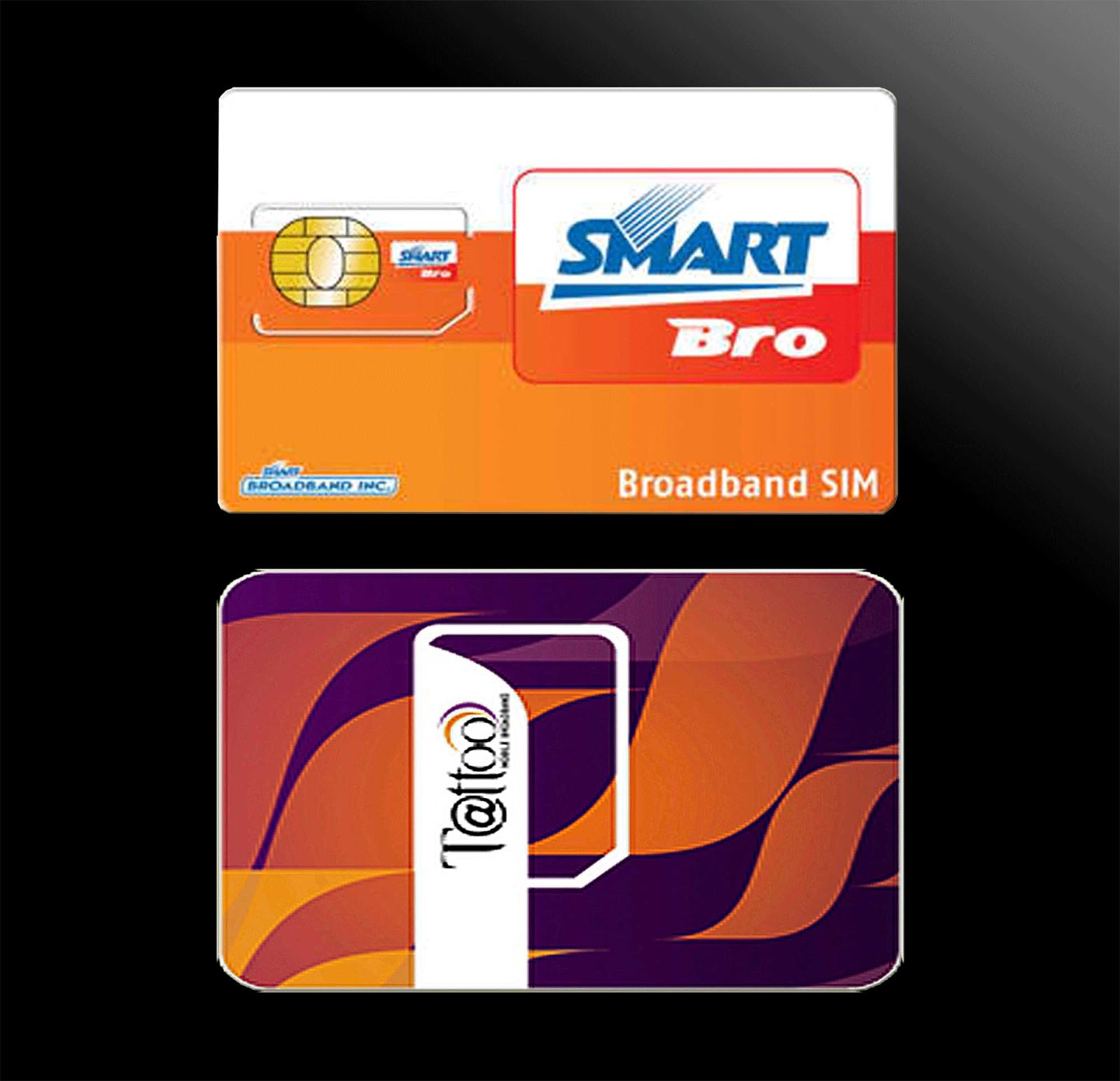
    For months I have been using my buddy SIM to browse the internet through my mobile phone. But the promos of Smart Buddy and SmartBro are different. For Buddy, although it is unlimited surfing also, there is a data limit. That if the download limit is reached your subscription automatically stops even if there are still time remaining on the promo you have availed. SmartBro on the other hand does not have a data limit so no matter how much data was downloaded. This, however, needs a little minor adjustment, that is to change the APN to "smartbro" without the qoutation marks. Just go to your phones network or connectivity settings and change the APN to smartbro. This should also work with other network like Globe's Tattoo. Simply determine the correct APN.

    Back to home page

    Other Posts
    Extend Your Mobile Browsing Time
    How to prevent people you don't know from calling you in Skype

    Saturday, November 24, 2012

    Smart Bro always disconnecting


    Problem: Smart Bro keeps disconnecting

    Brief History: A few weeks ago, I have purchased Smart's Starter Kit (STARTER Plug-It). I choose this against Globe's Tatto because  I am constantly moving between two homes about 40 Km apart and on one of them, I can only get signal from Smart and not from Globe even if it is only Edge. At least browsing is still possible with my mobile using an Edge connection.

           These kits have about 120 hours (about 5 days) of free internet out of the box. During those period, surfing the internet was seemless. Never had any problem what so ever. When the free period is over, my problems started. Immediately after the free period expires, I got disconnected and was unable to connect any more. I then tried to load using the reload card (did I say I got the prepaid?) but still unable to connect. I tried my Buddy SIM on the dongle and it works pretty well. So, I checked the SmartBro interface and went to the settings tab but has very limited options there and despite some suggestions I got through Googling, I still could not connect. By the way, comparing the settings panel for Tattoo and SmartBro, Tattoo's settings panel seems to have more options (if memory serves me right), but that for another story.

           Make long story short, I ended calling their customer support. They asked me questions like when problem started, where is my location and such basic questions. So far so good. Then the rep on the other end asked if after the free period I got automatically disconnected and I said YES. So he told me that they will be checking on my account and for the meantime I will monitor my connection within 24 hours. So I did.

           24 hours passed and what do you know, I can connect again! I said Yes! I told myself at least they are not as bad with after sales service as others have been reporting.

           Several hours later, another problem started. I am now getting disconnected every 30 seconds or so. For the whole night I ignored it as I can still load a page and read it. I just have to restart the connection after wards, thinking maybe it will be just for the night and things will return to normal again by the next day.

           Morning came, I checked my connection and still the same happens. 30 seconds (well not all the time, sometimes I get 1 or 2 minutes if I am lucky but not more than 5 minutes of continuous connection) then my connection is out again. Funny thing is the interface is still showing I am connected.

           How do I know? Because on the Task Manager (Ctrl+Alt+Del to bring up the Task Manager window) under Networking tab, I don't see my SmartBro connection. I did a ping to Google as well (Click Start button - I am using XP then click run type "cmd" or "command" without the qoutation marks to bring up the DOS shell window and type "ping www.google.com /t" then press enter key without the qoutes. To terminate the ping, press CTRL+C) and I get an error message "ping request could not find host...".

           Since I am moving to the other house, I did not bother reporting the problem. Still thinking that maybe when I get back, all is going to be normal once again.

           After a week, I got back and tried connecting again. Still same thing happens. So I called their hotline (*8888) to report on the problem. Asked me several questions. In the end the rep guy told me that he will have to make a report and that I will have to monitor my connection within 24 hours.

    Report number: 418363218
    Time and date of call: 11/24/2012 at around 9:00 am

           This now brings us to the present......So much for a brief history huh! hehehe.

    Now: 24 hours has come and gone. Still getting intermittent connection. Now windows and other installed programs are asking for updates but could not do so because of the intermittent connection specially my security tools.

           I called back. Me and the guy at the other end went through the same process like the previous day.

           Asked the same questions already asked yesterday like where do I live, how many bars do I see on the interface, how long is the disconnection. Then asked me to be put on hold so he could check something. Came back after like 1 or 2 minutes and asked me a question or two more then told me that he must make a report. The event that happened so far is the exact same thing that happened yesterday: asked questions, hear the clicking sound of a keyboard (obviously filling-up a custom form for the kind of problem I have), then excuses himself (making me wait several minutes) and return to tell me he needed to make a report. This time, I am a bit more prepared so I then asked why the need for a report again when it was already reported yesterday and the same questions I answered today were answered already yesterday. His reply is so that their tech could make adjustments needed for the problem in my area, well to be fare this makes sense. I asked, so how long will this adjustment take (thinking to myslef that probably they are already doing some adjustments but needs more time)? He told me normally it would take about 24 hours. Well 24 hours has passed from the first report and nothing has changed. I was already told twice to monitor my connection within 24 hours. Wait 24 hours it is....

    Report Number: 418473230
    Time and date of call: 11/25/2012 at 9:42 a.m. (end of call)
    Customer Rep: Anthony (Last name withheld)

    _________________________________________________________________________________
    Update (11/25/2012): Connection still getting disconnected although not as previously stated anymore. Now my connection lasts for 5 minutes or so. But this is still not acceptable as the speed is very slow. Software update is still impossible. 12 more hours to wait, but won't be able to give you updates since I am moving to my other home. Will be updating next weekend. Until then!

    Note: This is already quiet long so I need to stop for now. I have copied my pings and other things I have made and will update this post with visuals later on. If you have the same problem or other problems, share them with me so I know I am not the only one. hehehe! Bye for now.

    _________________________________________________________________________________
    Update (11/30/2012): Connection is still the same. Just subscribed to SmartBro UNLISURF for 2 days and what I got is a limited surf of 30 seconds for each connection, that is from 10:00p.m. to past twelve midnight.   So I said enough and I called back at Smart's customer service hotline. And for a change I instantly got connected to a service rep. I normally get an answer for about 10 minutes or more of waiting. But this time it was very, very quick. Like I did not even hear the music they usually play to make you wait.

    Anyway, to my update. After our brief good evenings, I told them I am having problem with my connection and that it frequently gets disconnected and added that I am having this same problem since around two weeks ago and that I have been previously been given 2 report numbers and asked him if he wanted to get the last report number. To be honest I did not understand his reply  but I gave the number anyways.

    That is when the usual questions were asked. Asked my location, my name, where was the device connected was it on a notebook or a desktop? I said desktop. What is my OS? I said XP. Then the usual wait for a minute or two to check the service in my location. After two minutes(I was already enjoying the music on the phone when...), he came back and told me that there is nothing wrong in my area and that there is no report of any service maintenance or something in my area.

    And so I pressed the question,  so why am I getting disconnected? Asked me If I have tried to connect the device on other pc but told him no but that I have used the sim on my phone in another location without any noticeable interruption. But I quickly added that that was a cellphone and that I may not be able to detect it like in a pc and that my connection is only edge.

    Then he asked me to try to restart the device by disconnecting it. At the same time he asked me to restart my PC. I already told him that I have done that already a few times tonight but I obliged and restarted everything. While I am restarting it was somehow implied that maybe it was my desktop having a problem. So I told him that I have a reasonable number of processes running tonight around 40+ and that my memory usage tonight is around half of the commit charge. I have also checked already for possible virus although I don't think virus would affect connectivity.

    He said he was very sorry and due to the several reports that I have made already, this thing has already been hilighted.

    I also mentioned that this thing normally happens during peak hours. After hearing this, he goes off again. When he came back he said that due to the new information I have given them regarding when I normally get a lot of disconnection, he will have to make a report and that I will have to.....well we already know the rest of where this goes. So another 24 hours it is.

    By the way, it is already past 1 a.m. at the time of this update and I already have a steady connection.

    Oh before I forget, I learned a new thing from this guy: All the while my notion was that the canopy and this mobile broadband are the same but actually it is not. The canopy has a different signal from mobile broadband. The canopy relies on line of sight while mobile broadband seems not because you can take it where ever you go so line of sight is no issue and therefore jitter does not apply to mobile broadband (for the  jitter part, I still have to check its truthfulness).

    Here are some screen shots I took last week.
    Ping to Google has timed out and time is too long.
    After several second of pinging, connection is lost.


    Task Manager capture showing network usage. Taken while
    trying to watch in YouTube which of course keeps buffering.

    Even Smart website can't load. Notice also SmartBro interface,
    it can't load properly due to very poor connectivity. Even if
    SmartBro is already disconnected (check the task manager),
    the interface shows that it is still connected.


    Download and Upload speed the same at 20Kbps? Isn't this
    dial-up speed from way back? If I am not mistaken dial-up is
    even faster than this.
    Pingtest.net result the following morning.


    _________________________________________________________________________________

    Update (12/01/2012): Just want to give abrief status update to my internet connection. It seems that whatever Smart did is working. Now I don't have as much and as frequent disconnections but still gets disconnected. At least now I can watch videos and download a 10mb file.

    I have observed though that my disconnections seem to be related to how much data I download. It is like there is a qouta of data you are allowed for a certain amount of time and when your data download continuous, the disconnection happens. Not sure but that is only my opinion. Might want to test this some other time.

    But for now, I am quite satisfied with my connection. So to the Smart guys, good job. Reserving my thanks though until I am satisfied that this is going to be a permanent thing. keeping my fingers crossed.

    Back to CyberLiving home page

    Other Posts
    Movetab MA900 review
    How register your SmartBro to UNLISURF before it automatically connect to the internet