Mobile and Tablet Devices Review

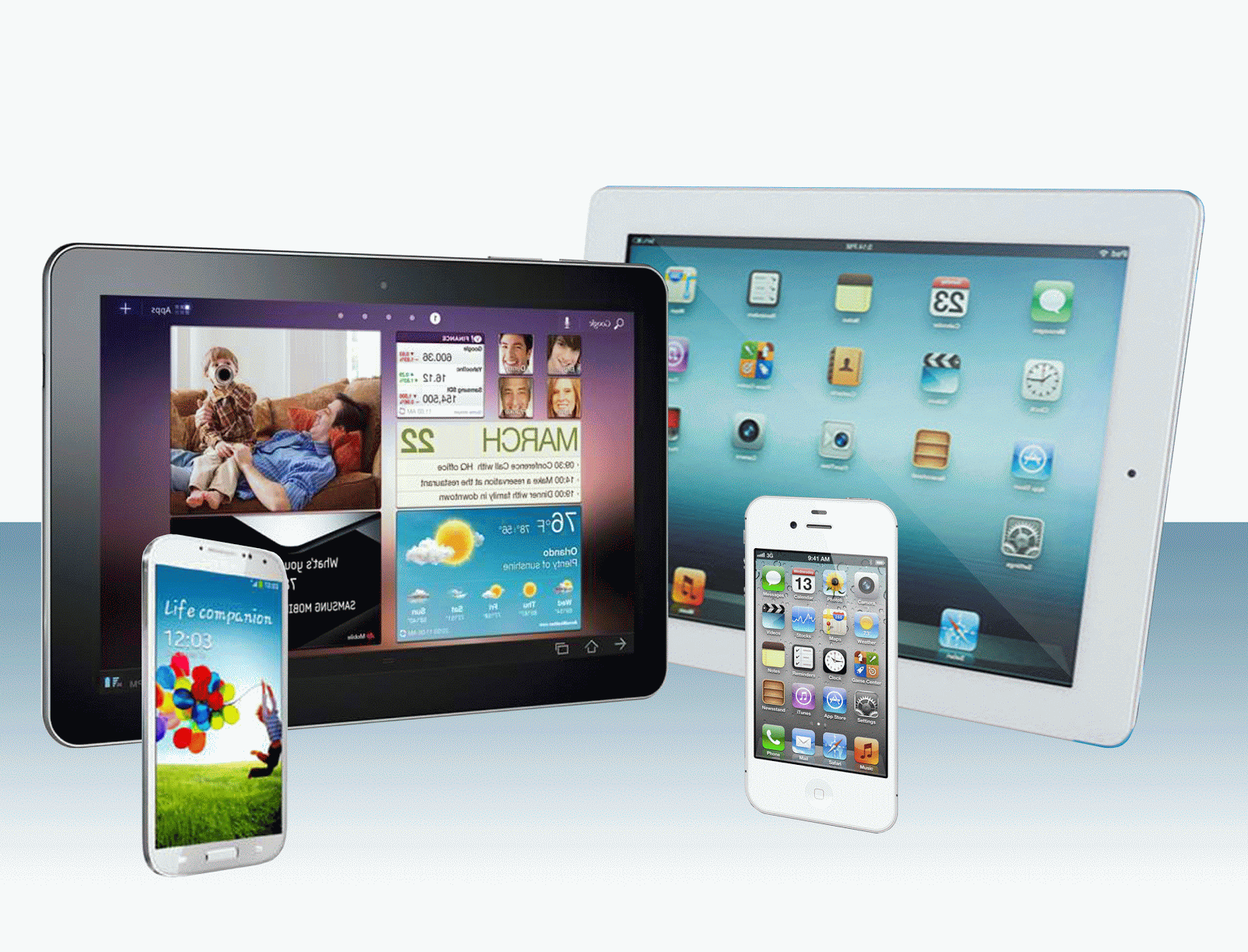
Cyber Living posts the specifications or details of the latest mobile phones and tablets with some thought comments on the device You can find them by clicking the MOBILE?TSBLET DEV on the menu bar above. Or you can click this link Mobile and Tablet Devices

Computer Problems Solutions

For personal computer/notebook problems and tips, refer to PC PROB from the menu or click this link Personal Computer Problem Solutions.

What's in the world with Philippine ISPs

Discussions about Philippine Internet Service Providers (ISPs) particularly problems users are encountering but are not getting any solutions.

  • Tips or work around to these problems to improve browsing experience.
  • Do you have any problems too? Give your comments below each of the posts to be heard.
  • Or better yet, send me a message on our contact form if you want a dedicated article to your problem on this site.
  • Bloggers and Webmasters tips/tricks

    Looking for something to implement to your site? Our Bloggers' tips/tricks have what you need. If you do not find it there, notify us through our contact form.

    SEO Tips

    Tips to improve your rankings on Search Engine Resuts Pages (SERPs).

    Saturday, March 23, 2013

    Deep Freeze an alternative PC protection

    When we talk about PC protection, most people only knows about anti-virus, anti-malware or other such programs. What some do not know is there is this neat little program called Deep Freeze.

    I was introduced to this program by my brother who happens to run his own internet cafe. He told me to install it and never need to worry about intrusion while my machine is connected to the internet or other infected storage media is plugged as long as my machine is in a frozen state. And know what, it does.

    What Deep Freeze do is freeze a PC to the kernel level and stores all data that was required for your activity on a temporary space somewhere on your hard disk. And all this data is lost once you restart the PC, including any malicious code that got to your PC. So unlike any anti-virus/anti-malware programs, it does not rely on virus definitions to protect your PC that if your virus protection program's library is outdated you become vulnerable to new viruses.

    The only downside to Deep Freeze that I have encountered whilst testing it was that anything saved will be lost upon restart, including any important documents you may have created unless you worked on thawed condition and you can only thaw your PC by rebooting and setting Deep Freeze to reboot thawed.

    To do this double click on the Deep Freeze icon located on the task bar while the shift key is pressed (shift key+double click icon) to launch the Deep Freeze window. Input password and click ok. On the Boot Control either select Thawed Reboot on Next or Thawed Reboot. You can then reboot you PC. When it has finished restarting you may now be able to save files.

    Please note that while thawed Deep Freeze can not protect you. So be careful while on thawed condition and always Boot Frozen when you are done with your files.

    Back to home page

    Other Posts
    Is Android the future Windows?
    How to share your desktop internet connection?

    Tuesday, March 5, 2013

    Blank screen on reboot with no warning beeps (Computer will not boot not even a POST)


    I just came back from a week's vacation and when I got back I want to change my mails. I powered up my desktop and everything went like any other time I have done so. Checksum error showed (CMOS went back to factory default due to a depleted CMOS battery), after setting the date and time at CMOS set-up page, my desktop restarted and then loaded windows. When windows has completely loaded, my PC freezes. Keyboard num lock went off and unresponsive, mouse is also not responding, even the reset button is not working. I had to force it to shut down by pressing on the power button for 5 seconds or until it shuts down.

    When I tried to restart it, I got nothing on the screen. There is power on my PC, DVD drive initializes and hard disk drive activity indicator is lit but there is nothing on the screen. Not even a POST report. The fans are also working.

    I tried the following:

    1. Reset the CMOS but nothing happened.

    2. Replaced the CMOS battery with a new one and again reset the CMOS but still nothing happened.

    3. Changed the monitor cable but still nothing on my screen.

    4. I tried to reseat all cards and still nothing happened.

    5. Checked the power supply and all are within specs.

    6. I am getting at my wit's end then as a last resort I tried to check my memory cards if one or both of them may be at fault (I have 2 DDRII 512mb each). What did you know, restarting after my first attempt at removing one of the cards, I got that single beep indicating all systems are green and my display came alive displaying the POST report.

    If you are experiencing the same problem, try checking your memory cards. If you have two, remove one then restart if that did not work, try the one you removed instead. If you only have one card, try borrowing from other PC or from a friend if you don't have a spare.

    Back to home page

    Other Posts
    Movetab MA900 review
    Download Youtube Videos or Background Music

    Saturday, March 2, 2013

    Is Android the future Windows?


    I did not mean the future of Windows but will it be replacing Windows as the new OS of choice in the near future?

    The Android OS made its mark in our consciousness when smartphones replaced our conventional cellular phones which requires an operating system for it to work.

    At that time, Microsoft was busy coming out with a new version of their Windows operating system for PC and did not concentrate much on the smartphone market.

    This leaves the competition between the Symbian OS, iOS, Blackberry OS and Android. Well, as one should know, the iOS and Blackberry OSare dedicated to the iPhone and Blackberry respectively. That leaves Android and Symbian trying to grab the market. Well, Windows is also trying to compete but seems to be half hearted at the time as they are more focused on their existing market, which is the PC and notebook.

    Now, however, that more people are accessing the world wide web through their mobile phones as well as playing games with it, it has become apparent that going mobile is the way to go. With the introduction of tablet devices (thanks in a big way to Apple's iPad), which in a way is similar to that of mobile devices, the market has even become bigger.

    However, Microsoft seems to have seen the market potential of mobile deivces that it has trained its eyes to it. Even its newly released Windows 8 looks like the interface of a tablet.

    But with the time and resources spent by Google on the Android OS, it has paid off. It can be seen by the proliferation of what we now call Android devices. A wide range of smartphone manufacturers now uses Android. Now, even on tablets, Android seems to be the OS of choice. It's biggest user is Samsung which has currently outsold Apple's iPad on the number of units sold due in big part to its lower price. Even, less known brands like Coby and Movetab are using the Android OS although some of them are not  yet a truly Android device. In which case, there is no Google support and has no access to sites like Google Play.

    So what do you think? Sound off your thoughts on the comments section.

    Back to home page

    Other Posts
    Is consumerism now the driving force of innovation?
    Deep Freeze

    Friday, March 1, 2013

    Movetab MA900 review


    I recently acquired a Movetab MA900 tablet from a well known department store in my area for Php7,500. I was looking for a cheap tablet that is still good enough at least for blogging.
    What got my attention about this device is that it comes with a keyboard that is embedded on its cover. For me, that is definitely a plus as I do a lot of writing.

    Right off the box it comes with a power supply, a USB cord, a USB adapter and the ones I mentioned above, a cover (housing) with embedded keyboard which you connect to the tablet through the mini USB port. It also comes with an Android OS (Ice Cream Sandwich). Oddly enough, it has a head/earphone port but no earphone was included.

    The rest of the specs are as follows: 8GB Storage, Wi-Fi capable, Cortex A9 1.2GHz processor, Capacitive Touch Screen, Full HD Playback, HDMI port, micro USB port, 1Gb DDR3 RAM, 0.3 mpfront and 2mp rear camera, 9.1" TN LCD 1024x768pixels display, USB 3G dongle capable (selected models only), 5V, 2A power adopter, size: 242mmx189mmx9mm

    The response of the touch screen was good. Screen output is also good. I mean, for its price the screen output is already very good. It is not iPad equivalent but . . . . oh you get the idea. I forgot to mention that the screen is plastic and so there is a potential that it could get scratch rather easy. A screen protector is thus necessary which is not included.

    Some of the pre-installed apps are skype, angry birds, Aldiko, Pinterest, Adobe PDF Reader, Instagram, AVG Antivirus, picture viewer and video players.

    User experience is somewhat a hit or miss. Video/audio playback is good. I watched a 1.5 hour movie and it played with no problem. The same with music.

    USB connectivity however seems to be limited only to PC. From the manual, it says that it is compatible with the two big telecommunications company here in the Philippines. But checking the list of compatible USB modem from the settings menu does not show the recent dongle that this two companies currently use. Connecting other devices through the USB also don't work. Example is the memory card readers. Although it comes with a micro SD card slot, most camera to date uses an SD card which unfortunately can't be read through this device since it can't recognize any other device attached to its port other than a PC. Even that, the file browser does not list my PC so a user is confined to using the PC to copy and paste files to and from Movetab MA900 and the PC.

    Solution to this is connecting your Movetabe MA900 via wi-fi and browse any shared folders on the network using ES file manager.

    Camera
    The movetab MA900 has two camera. One in front and one at the back. The front camera has a missly 1.7 megapixel while the back is slightly higher at 2 megapixel and both have quiet very small sensors. As expected the output isn't something you can brag about. At a bright sunny day, any bright objects like white shirt will "glow" and make your subject look like an angel. Obviously it does not have a proper metering. What I have been doing is pointing at the sky until it gets dark then go back at my subject and quickly take the shot before it readjusts.

    There is however the panorama mode where you can pan for an angle of 180 degrees and you get a very wide image.

    Internet browsing
    Browsing is quiet nice. It slows down quiet a bit as you browse so you may want to clear the cache a few times if you want faster browsing experience. There is an option to request the desktop site (or full site), which I always do since I always connect to a wi-fi anyways, but its default is to get the mobile site. When the browser is closed it defaults back to getting the mobile site even if you have opted the full site from your last browsing.

    Going to youtube always give you the mobile site even if you checked the Request desktop site check box on the browser. And sometimes some video will not load with the mobile site using the MA900. The trick here is go down to the Youtube page and click on the Desktop Site link. This reloads the page in full, now you can watch your videos!

    Pictures
    I have opened some of my very large pictures on my movetab MA900 and although it loads when each file is opened either via file manager or MyPhoto or Gallery, it will not load properly when you use the slide show of MyPhoto or Gallery. What will only show is a small portion of the image. It means slide show will not try to fit your image on the screen. If you need to display several of your pictures using slide show on movetab MA900, you first need to resize them on another computer before copying them to the movetab MA900.

    Keyboard
    The on screen keyboard is very responsive. Like what was mentioned earlier on this page, the touchscreen response is very good.

    But I guess what we are all interested to know is whether the extension keyboard is any good. Surprisingly, it is! The resistance is very good and the overall feel is excellent. The only thing   that is putting it down is it is somewhat small. My first time using it, I have some difficulty fitting all my fingers in place (I type with all ten fingers including thumbs for space bar). The good thing is that after an hour of using the keyboard, I already got used to it. Note to the manufacturer: There is still an inch each side that can be used to make the keys bigger or wider apart.

    I guess it is worth noting that I wrote this review using the MA900.

    The extension keyboard connects to the movetab MA900 to the mini USB port using a USB OTG adaptor from a thin and flexible USB cable that is permanently connected to the keyboard. It would have been better if it can be connected directly to the mini USB port without using a USB OTG adaptor.

    Cover
    The case or cover resembles that of a leather planner that opens up to show the clipped movetab MA900 on one side and the embedded keyboard at the other side.

    As mentioned above, the the keyboard's USB cable is permanently attached to the keyboard, or in this case the case/cover. Because of this, I am a bit concerned as to how long it will last since it is left dangling when I am carrying it.

    Also, a stand is provided at the back of the tablet side of the cover to prop it as you type giving you the same experience as when you are in a notebook at a table. The only problem is the workmanship or the material is very poor. After only three days of using it, I can already see a tear and after a week, the thing that's supposed to prevent the stand from slipping is completely detached rendering it useless. I can still use the stand, but now I can't pull back too much or risk it slipping.

    Lastly, with the cover on, you can not use the back camera because there is no opening on the cover for the camera but the front camera is still very much usable. To use the back camera, you'll need to remove the movetab MA900 from its cover.

    Screen/Monitor
    Again, the screen is good. Not iPad quality but for its price, I can't complain. Me and my son uses it to watch movies through our shared network (movie is on my desktop's shared folder) but there is an angle where the image looks better especially when the scene is dark. You'll need to move the screen sideways to see it. Aside from that, everythings is great.

    Sound
    The sound is also great (for me at least). By that I mean, It does not produce sound loud enough to be heard audibly to the next room even at maximum but within the room, playing from music to movies is very audible. If you need it louder, use an external speaker to amplify the sound.

    Battery life
    Back at the store, while I was trying to decide whether to buy it or not, the dealer can't assure me longer than 45 minutes of active browsing or movie playback. But by my experience movetab MA900 can last up to 3 hours continuous browsing although charging also takes sometime. Also, I am not sure how long the battery lasts before it becomes useless and whether it is replaceable or even worth replacing.

    Mounting Devices
    I have tried to connect SD cards (using a universal card reader), USB modem (not on the list but with memory) and external hard disks and a desktop but unsucessfully able to browse its contents on this tablet. Movetab MA900 detects these external storage and the "Mount this device" on the settings becomes active but it just will not mount. I tried mount manager but to be honest that app seems not intended for device mounting.

    Apps/Downloads/PlayStore
    Downloading has no problem, everything will depend on your connection speed/quality, size of file to download and whether you have enough storage space on your memory specially with 8G, just several download and you will already be having storage space issues.

    Although the movetab MA900 is not an official Android device, accessing the Playstore is no problem as long as you have a Google account. But though the MA900 had the Playstore app preinstalled, it is advised to use the browser to access the PlayStore. Why? Because there are certain apps that will not work with this device, specially resource hug apps, and the PlayStore app will not test for compatibility however the web version does. This way, you can avoid downloading apps that are not compatible with MA900.

    Verdict:
    When most of what you do with a tablet is browse the internet, read ebooks, check your facebook and twitter status, play music and videos and writing articles for your blog and you're on a budget, then look no further this tablet is excellent for you. With a keyboard cover, the movetab MA900 will give you the same text output as a notebook can. Just use a simple notepad that is available free at PlayStore. And as long as you are not looking every bit of pixel while watching a video or looking at a photo, you won't know the difference between the display of the MA900 and a higer end tablet.

    But even if you can afford a more expensive tablet but are mostly doing the same as listed above this is highly recommended and save that money on other gadget or an add-on.

    But if you are into gaming and uses apps that requires lots of system resources, this device is not for you. Better save that money until you have enough to buy a Samsung or iPad that costs twice (or even more) than Movetab's MA900.

    Back to home page

    Other Posts
    Blank screen on reboot with no warning beeps (Computer will not boot not even a POST)
    Smart Bro always disconnecting
    Thursday, February 28, 2013

    Is consumerism now the driving force of innovation?


    I am posting this question based from my own observation. Way back, it was the military that is driving most inventions. The strong need to outsmart or outdo the enemy leads scinetists to invent the nuclear bomb. The military needs to communicate with their units that are all around the world and so the satellite was born which we eventually benefitted through our TVs and cellphones.

    Working with powerful radio telescopes, they have discovered that we could cook using microwave thus the micorwave oven was invented. The military needed a machine that can solve complex mathematical equations fast in real time and they produced the computer.

    Now however, the ever changing needs by consumers for new and "cool" stuff seems to be the motivation for the next generatin tech gadgets. The need by many people to bring with them a portable PC gave rise to the laptops, then smart phones and now the tablet.

    People wanted to listen to music from thousands of selections that is impossible to cary with you on cassette tapes. The solution was data recorded on a CD played on a CD player. But that is still bulky, now we have the mp3 player where you can practically carry unlimited number of songs and MP4 for videos.

    Wanting better computer gaming experience from our traditional joystick, we are now starting to depart from that with the introduction of motion control like the kinect where you use your body to control the game.

    Now the personal computer is again being recycled into our TVs with the introduction of smart TVs. Soon enough, when this catch up almost everyone will be renting their favorite movies online. Many are doing it now but not as much as when renting and watching movies are all done at your TV not to mention online gaming/shopping and the rest of the stuff you can do on a PC.

    One of the things introduced this year that is creating a lot of buzz is Samsung's flexible screen. Soon we might see a tube containing a rolled up screen much like the flexible keyboard. We might even see a single rectangular screen (slash computer) that can transform into a laptop by folding it cross-wise with the half still a display while the other half turns into a touch keyboard.

    What is next, a hologram maybe?

    Back to home page

    Other Posts
    The server's security certificate is not yet valid
    Is Android the future Windows?

    Friday, January 11, 2013

    Getting more likes out on your facebook posts

    You are sitting in front of your computer with your facebook and something caught your attention. It is your friend John's photo on your timeline. It seems to be getting a lot of attention. Looking at the likes, it has a lot compared to yours which only seem to get very few. In fact every single posts he makes have a lot of likes and you wish you have the same number of likes as well. You wondered how he does it.

    Facebook's like algorithm is what dictates which goes to your timeline. The more activity (by that I mean, how many likes/shares/comments) it has, the more that it will figure in to our timeline. Meaning, the more active a post is, the more that facebook's algorithm thinks that it is of greater value so it puts it on everyone's timeline and thus gets more exposure.

    I noticed that I could get more activity by commenting back and liking on each person's comments. Why? Because everytime a person commented on a post, it shows on their timeline, and in return will be reflected on their friend's and yours. When you return the favor by either liking or commenting back, it goes back on top of you and your friend's newsfeed which in turn will be seen by your respective friends.

    At first that post will stay at your newsfeed for a little bit but as there are more likes and comments on that post, it will be shown more and longer in both of your friends newsfeed.

    Try this experiment. Put up two pictures on your timeline, on one just leave it as is after posting. For the other photo, share it, like every comment and comment on every friends' comments. You will find out that the former will have fewer likes compared to the later as the later will get more noticed due to a more activity.

    Thursday, January 10, 2013

    How to repost an item from facebook timeline other than your own timeline

    Have you ever wondered how you could post a photo an article or any item in your timeline or other's timeline to others timeline? Here is how.

    When we share something, what we normally do is click the share link, write something (or not) the click the share photo button.

    Notice the top side of the window, you see "Share:" then a drop down menu. Click it and you see a list of  how it can be shared. These are On a friend's timeline, In a group, On your page, In a private message.

    Choose on a friend's timeline to post on their timeline. Note that this will not work (actually all of them except private message) when the target timeline is configured not to accept posts by others. Unfortunately, only one friend can be listed and so to post an item on 20 friends timeline, repeat it 20 times. The rest I think is self explanatory. Experiment to find out.

    Back to home page

    Other Posts
    Getting more likes out on your facebook posts
    Autoconnect your USB 3G Modem

    Sunday, December 30, 2012

    The server's security certificate is not yet valid

    I Turned on my computer, my machine stopped booting and I was prompted with a check sum error. I ignored the error and pressed F1 then waited until my machine finished booting. Went to Google logged in and got the red screen that says "The server's security certificate is not yet valid". Why?

    The reason is because my date and time is set way back in January 1, 2006. When I tried to log in at Google, it saw that I am someone in the past trying to access the server in the present and because of this, I was denied access.

    I changed my date setting and tried logging in again, this time it signed me in immediately.

    Why did I have my date set-up way back in 2006? That is because the button battery that powers the internal clock  of my machine was drained so every time I power up (if I unplug) my computer I get a check sum error because it has reset to its factory date. Fixing this at start up by going to the BIOS would be better but adjusting it at windows does the same thing.

    Back to home page

    Other Posts
    Autoconnect your USB 3G Modem
    Nokia N97 mini as a modem

    Sunday, December 23, 2012

    PSY and his Gangnam Style hits over a billion

    Sorry but I just got to post this. The viral video that originated from South Korea Psy's Gangnam Style has just hit over a billion hits.


    As of this writing (12/23/2012), it is now at 1,010,321,921. This is a milestone as far as youtube videos are concerned because it is the first and only video to have reached, even surpassed the 1 billion mark.

    There have been reports, from the doomsayers, that Psy's Gangnam Style is connected to the end of the world due to predictions from Nostra Damos about horses and the figure 999. The former referring to his dance style and the later refers to hits. This plus the information from the Mayan calendar predicting the end of the world at Dec. 22, 2012 has made these reports to persist.

    This might be one reason that has propelled the already very popular video to beyond 1billion hits. Coming in  way below in second place is Justin Bieber's Baby. Sorry Bieber fans, this horse riding Korean guy has outdid you.

    Back to home page

    Other Posts
    Can't access my yahoo account after clearing my cache
    The server's security certificate is not yet valid

    Saturday, December 22, 2012

    Can't access my yahoo account after clearing my cache

    Has anyone ever experienced this?

    I opened Chrome and logged in to Yahoo and everything is fine after some time, I decided to clear my cache as I am experiencing some slow down with my browsing. This action would cause me to re-login to everything from google to facebook and yahoo.

    But for some reason all the others do not have problem logging me in except for yahoo. Once my cache is cleared, it gives the Invalid ID or password message. No matter what I do (even using the full Yahoo ID) does not work. Even using other browsers so I am guessing it is some security feature from Yahoo?

    Does anyone know the reason behind it?

    Back to home page

    Other Posts
    Reasons why I ditched do follow commenting for SEO optimization
    PSY and his Gangnam Style hits over a billion